Task Management for IT Teams: Tickets vs Tasks, and How to Run Both
Tickets are requests from outside — clients, users, monitoring. Tasks are the internal work the team does. They have different lifecycles and different audiences. The pattern that works: keep the ticket system as the front door, create tasks for the actual work, route them between Support and Engineering with department queues, and run infra upkeep as recurring tasks. TaskIt handles the task side; your ticket desk stays the client-facing layer.
Tickets and tasks in IT teams
IT task managementIn this article
1. Tickets and tasks are different things
A ticket is a conversation with a requester. A task is a unit of work for a doer. Mixing them breaks both.
Tickets carry requester context: the client’s words, the response deadline, the public status. Tasks carry execution context: the assignee, the work completed, the pending actions, the handover notes, the progress, the due date the team commits to.
| Ticket (external) | Task (internal) | |
|---|---|---|
| Primary audience | Requester / client | Assignee / team |
| Lifecycle | Open → In progress → Resolved → Closed | Assigned → In progress → In review → Completed (→ Reopened) |
| Deadline | Response / resolution time | Due date the team commits to |
| Context | Requester’s words, attachments | Execution steps, handover notes, progress |
| Visibility | Client sees status | Team sees the work detail |
Force tickets to be tasks and the execution detail clutters the client view. Force tasks to be tickets and the handover context gets lost in a comment thread. The fix is a clean boundary.
2. The ticket-to-task boundary: one-way and explicit
A ticket can lead to tasks. The link between them should be written down on the task.
- A ticket arrives in your ticket desk. Support triages it: question, bug, feature request or access change?
- If it needs engineering work, Support creates a task in TaskIt and records the ticket ID on it.
- The task goes to a department (Engineering, DevOps) or a person.
- Engineering works the task: handovers between dev, QA and ops, progress updates, completion.
- Support sees the completion and resolves the ticket with the outcome.
How to set this up in TaskIt
3. Department queues: Support → Engineering without the ping-pong
Sending every task through the engineering lead makes the lead a bottleneck. A department queue does not.
When Support creates a task for Engineering, they assign it to the Engineering department, not to a person. The task waits in Engineering’s queue, where every member can see it, until someone accepts it.
- Accepting a department task records who took it and when.
- Single Owner tasks have one finisher; Collaborative tasks let several engineers join.
- If the work then needs someone else, the engineer hands it over with what is done and what is pending.
The lead no longer triages every task; the queue is visible, and every pick-up is on record.
4. Recurring tasks for the work that has no ticket
Certificate renewals, dependency updates, backup checks — no client raises a ticket for these. They still need doing.
IT teams run on recurring work that never reaches the ticket desk. If it lives in someone’s calendar or memory, it slips. If it lives in a task system on a schedule, it gets done.
- Daily: backup checks, error-log review.
- Weekly: staging deploy, disk and queue checks.
- Monthly: dependency audit, security patch review, certificate inventory.
- Every few months: restore test, access review.
TaskIt recurring schedules run daily, weekly, monthly, yearly or every N days, weeks, months or years, on Indian Standard Time, and each run raises a real task with its own code and due date. See how recurring tasks save time.
5. Handovers inside Engineering: dev → QA → ops
A task that moves from dev to QA to ops without a handover is a game of telephone.
In TaskIt a task keeps the same ID and code for its whole life, and each handover is added to its history. The developer records the work completed (what was built and how it was tested), the pending work (what QA should verify) and notes (edge cases, test data). QA then hands over to ops with what passed and the deployment steps.
- Same task code end to end — the timeline stays in one place.
- The handover history shows who had it, what they finished and what they left.
- Unable to complete: if QA hits a blocker, they mark the task with a reason. It moves to Blocked, the creator is told, and someone with permission to assign can resume or reassign it.
TaskIt handover fields
6. An audit trail for the security questionnaire
Client security questionnaires and audits keep asking the same thing: "show me who did what, and when".
TaskIt’s Audit Logs are workspace-wide and read-only. They record task creation, handovers, acceptances, Unable-to-Complete marks, reopens and due-date changes — who did it, on which task and when — and can be searched by person, task code or title. Each task’s own timeline adds progress updates, comments and status changes.
- Access-change tasks: who asked, who reviewed, who did it — on one task.
- Deployment tasks: the handover chain from dev to QA to ops, with times.
- Recurring checks: a record that the monthly review actually happened.
This is not a compliance product — it is the by-product of recording handovers properly. See why businesses need an audit trail for task management.
7. WhatsApp for urgent work
An urgent fix cannot wait for someone to open the app. WhatsApp reaches the phone already in hand.
With the WhatsApp add-on (₹499 a month, free during the trial), TaskIt sends a message from your own number when a task is created, handed over or completed, and can add overdue, reminder and reopen alerts.
- The workspace admin switches each event on or off for the whole workspace.
- Messages go to personal chats, a WhatsApp group, or both — and groups can be mapped by department.
- Messages carry the task code, title and a link to the task.
- It is not a bot: the work happens in TaskIt, and WhatsApp is the notification channel.
Frequently asked questions
A ticket is a conversation with a requester — a client, a user or a monitoring alert — with a response deadline and a public status. A task is a unit of work for a doer, with an assignee, handover notes, progress and a committed due date.
Usually not. Keep the ticket desk as the client-facing front door and run the internal work as tasks, with the ticket ID recorded on each task.
Support creates a task and assigns it to the Engineering department. It waits in the department’s queue until an engineer accepts it, which records who took it and when. If someone else is needed later, the engineer hands it over with what is done and what is pending.
Yes. Recurring schedules run daily, weekly, monthly, yearly or every N days, weeks, months or years, on Indian Standard Time, and each run raises a real task with its own code and due date.
No. TaskIt has no built-in connection to ticket systems. Record the ticket ID on the task with a text question on the task form, and update the ticket when the task completes.
The Audit Logs are read-only and workspace-wide. They record task creation, handovers, acceptances, Unable-to-Complete marks, reopens and due-date changes — who did it, on which task and when — and each task’s timeline adds progress, comments and status changes.
Written by
Dhyey Mehta
All articles by Dhyey MehtaRelated reading
Articles and pages that cover the next question this one raises.

Task Handover Process: How to Transfer Work Without Losing Context
The difference between a handover and a reassignment, the five things that must move with the work, and a process that survives leave, shift changes and blocked tasks.
Read article
How to Manage Tasks Across Multiple Departments
Why work stalls when it crosses a team boundary, and how assigning to a department — rather than guessing a name — fixes the handoff.
Read article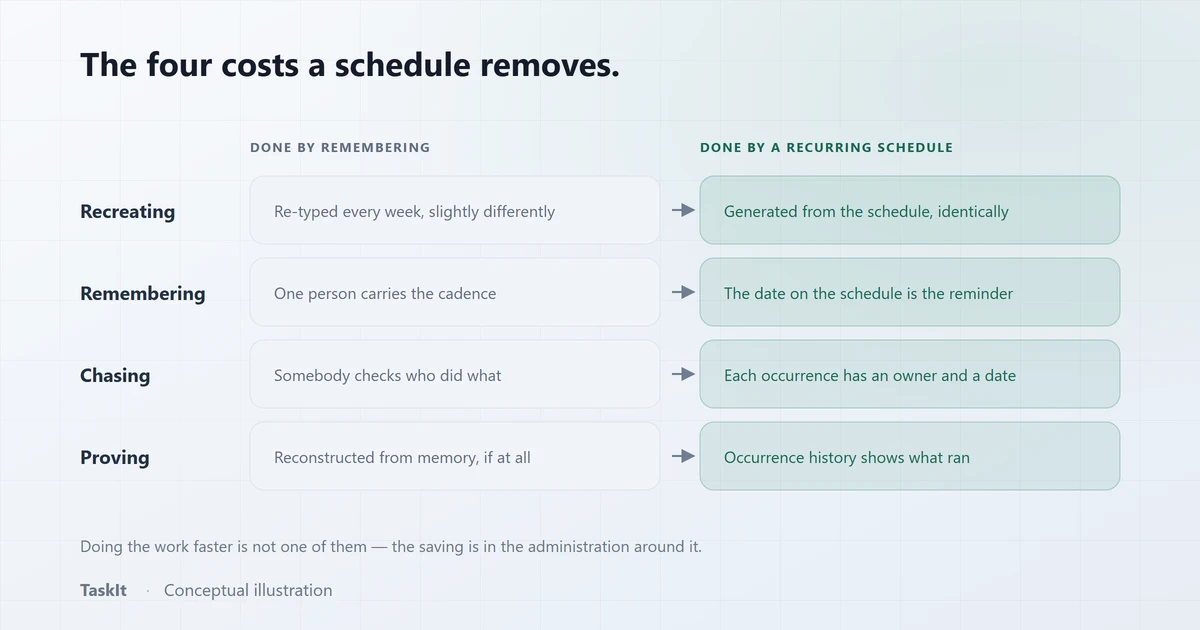
How Recurring Tasks Save Time (and Stop Work Going Missing)
The real cost of repeated work is not doing it — it is the recreating, remembering and proving around it. All three are removable.
Read article
Why Businesses Need an Audit Trail for Task Management
The difference between an activity feed and an audit log, the questions each one answers, and why partial coverage should always be stated rather than implied.
Read article
Task Management vs Workflow Management: What’s the Difference?
The two terms are used interchangeably and mean different things. Definitions, the overlap, and the signals that tell you a team needs workflow structure.
Read articleTaskIt for IT companies
How IT and software teams run internal work, handovers and recurring jobs in TaskIt.
OpenStructured task handovers
What a handover records in TaskIt, and why the task ID never changes.
OpenTask management system
Intake, department queues, handovers, schedules and an audit trail in one workspace.
OpenSee how it works on your own tasks
Every capability described above is available during the 30-day free trial.